LinkedIn is Being Evil
Here’s the headline: LinkedIn is being accused of mass privacy violations that we at Unshittify are diametrically opposed to.
Here’s what we know about BrowserGate.
What is BrowserGate?
The BrowserGate report is an exposé by Fairlinked - the Alliance for digital fairness e.V.. Its Executive Summary has a good overview of their allegations against LinkedIn.
The BrowserGate Website is very thorough in its explanations and evidence. I recommend reading it.
TL;DR
According to the BrowserGate report, LinkedIn is:
- Scanning users’ extensions, without consent and without notification in their terms of service or privacy policy.
- Collecting sensitive data about users without consent, including:
- Political opinions
- Religious Beliefs
- Disability and neurodivergence
- Collecting this data by exploiting extension vulnerabilities, when users have explicitly rejected that data collection.
- Violating over a dozen EU, UK, German, and California laws around monopoly prevention, data privacy, and trade secrets.
- Potentially profiling companies’ trade secrets, including technology stacks, security tools, and customer lists
- Shares this data with third parties.
If you don’t like this, your recourse is minimal. Here’s what you can do.
- Protect yourself by using a non-Chromium browser. Firefox and Librewolf are two great, privacy-focused, open-source browsers that don’t run on Chromium.
- If you have control over it at your workplace, post your job postings to job boards other than LinkedIn, to protect other people.
- Call or email your state and federal representatives, and push them to introduce and support privacy laws and anti-monopoly laws.
What is LinkedIn doing?
In short, LinkedIn is collecting data on what browser extensions their users have installed on any Chrome-based browser. LinkedIn’s own affadavit has verified that they have extension detection mechanisms, and that they’re concerned about Chrome extensions.
They’ve been doing this since at least 2017, when they were scanning for 38 browser extensions. In 2024, they were checking for over 450.
Now, they try to identify whether you are using any of over 6,000 plugins. And they check this without asking or warning you.
How are they doing this?
The technical details are on the Browsergate “How It Works” page. But let’s talk layperson for a minute.
As prep, LinkedIn has stored a list of those >6,000 extensions it decided it was interested in.
Now we get to the user interacting with LinkedIn in a Chrome-based browser. On EVERY page load, LinkedIn tries to identify the extensions that the user has installed. It does this in 3 steps.
Stage 1: Asking Politely
First, LinkedIn uses official channels (Chrome’s externally_connectable messaging API) to try to contact every extension on its list.
This is the reasonable way for a website to try to interact with extensions it expects to see.1
Some extensions will respond.
Others choose not to use the externally_connectable messaging channel because they do not want to interact with anyone. Those extensions will not respond.
If they don’t respond, LinkedIn moves on to Stage 2.
Stage 2: Peeping Through the Bathroom Window
This Is Bad. If an extension does not interact via the externally_connectable channel, it does not want to connect with you. Any attempts to connect to that extention or extract data from it are, functionally, hacking into the extension.
LinkedIn ignores this and tries to get data from the extension anyway.
To do this, LinkedIn exploits the fact that extensions sometimes have files that need to be available to the browser or other extensions. LinkedIn asks the extension to show it one of these files.
Per BrowserGate, [t]his is the equivalent of checking whether a door is unlocked by trying the handle
. I think of it more as checking every window in a house to see if someone’s left a curtain open.
If the extension’s developer left that door unlocked, or the window curtain open, the extension will expose that file to LinkedIn.
If the extension has no web-accessible resources, LinkedIn gets nothing, and moves to Stage 3.
Stage 3: Checking if you Repainted
Ugh.
So, when LinkedIn sends info to your browser, it sends it in the form of an HTML file. That tells you what your browser needs to do to show you the webpage that you asked for.
That’s all that LinkedIn needs to do. Once the HTML is out of LinkedIn’s hands, they have presented you with the data you need, and their job is done.
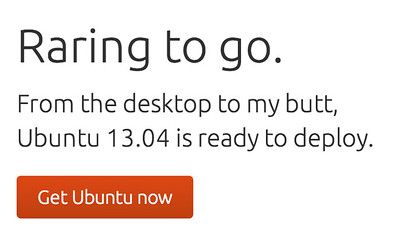
After that, your extensions might make changes to that HTML. If you remember the “Cloud-to-Butt” extension from the mid-twenty-teens, it looked through the HTML, removed any text with the word “cloud”, and replaced it with the word “butt”.
Some extensions make changes that are more identifiable, by including the extension’s name or other fingerprints in the HTML after they’re done.
LinkedIn looks for these fingerprints in the final HTML, to try to identify extensions that may have affected the HTML it sent you.
Using This Data
With these three scraping mechanisms, LinkedIn makes a list of which extensions you have (from their list of >6,000). It sends those results back to LinkedIn Servers.
From there, we dont know what they do.
Their affadavit indicates they may use this data as part of their automated services to block users.
The part we at Unshittify find scary is that the data they scrape includes highly sensitive medical, religious, and political affiliation data, which they can trivially associtate with the professional data that logged-in users voluntarily provide to LinkedIn, as is necessary to effectively use the site.
Our Thoughts
This looks VERY bad.
Privacy Issues
We believe that a company collecting data on their users without consent is a grevious privacy violation.
The EU and other jurisdictions have laws like the GDPR - that law is why we have cookie consent banners everywhere. It’s why we get the option to select our cookie preferences!
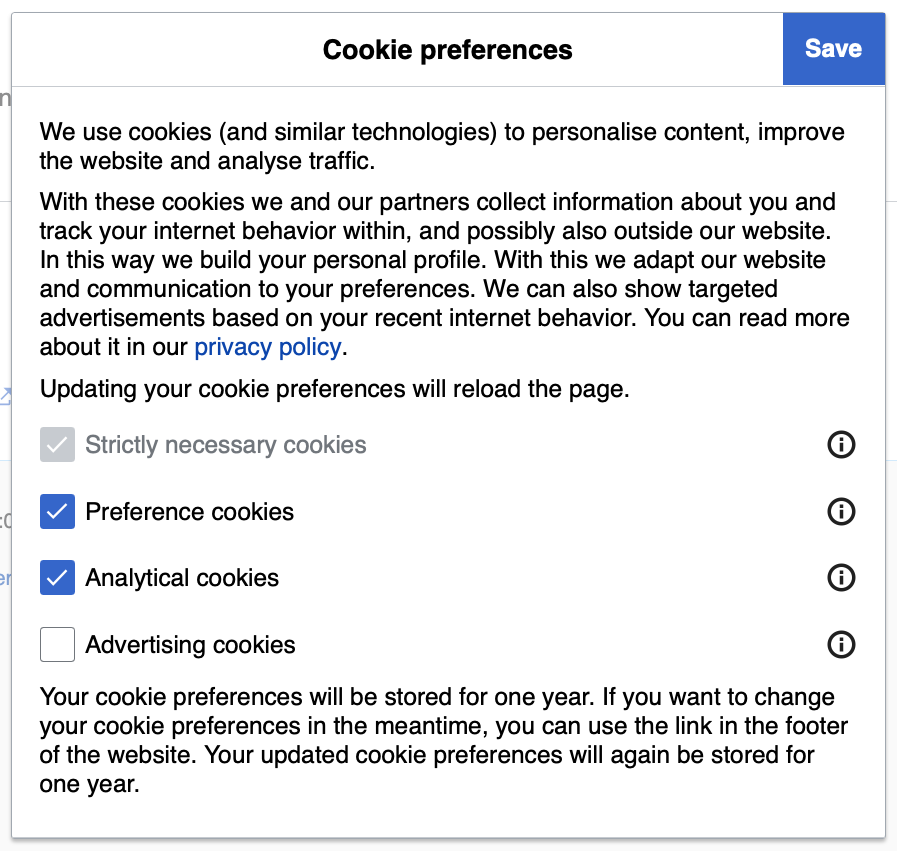
Now, we at Unshittify are US-based, and unfortunately we don’t live in California, so we don’t get the protective benefits of the GDPR or other privacy laws. But we’d say that meeting the GDPR’s privacy protection and data collection consent requirements is a decent baseline bare minimum that a company should be meeting.
It appears that LinkedIn is blatantly flouting those requirements.
It is unacceptable that LinkedIn did not give us the opportunity to refuse consent for this data collection, especially given that they are collecting this data in ways that disregard built-in consent checks.
LinkedIn appears to be far overstepping the bounds of the data collection necessary to enforce their terms of service, and has barreled straight into cartoonishly villainous mass surveillance and corporate espionage.
Both the breadth and specificity of the extensions they are searching for is obscene:
The scan doesn’t just look for LinkedIn-related tools. It identifies whether you use an Islamic content filter (PordaAI — “Blur Haram objects, real-time AI for Islamic values”), whether you’ve installed an anti-Zionist political tagger (Anti-Zionist Tag), or a tool designed for neurodivergent users (simplify). Under GDPR Article 9, processing data that reveals religious beliefs, political opinions, or health conditions requires explicit consent. LinkedIn obtains none. BrowserGate
There is no excuse for them to be checking if a user is potentially Muslim, or neurodivergent, or disabled. There is no reason for them to try to identify anti-zionist or anti-woke users.
And even without those specific searches, the breadth of what they search for would allow LinkedIn to profile their users. How do we know they aren’t using that to hide jobs, suppress applications, decrease search position?
How do we know they won’t sell that profile, linked to our real name, face, location, and professional information, to the highest bidder?
Will they give it to the government without a warrant? Will they give it up if the government threatens to break up their monopoly?
Are they using this data to gain an unfair advantage over their (meager) competetors? To identify their competetors’ customer lists?
Are they identifying what standard security software and extensions different companies use? Are they willing to sell that data? To whom?
LinkedIn, by scraping this data, has a tremendous amount of very dangerous data available to them, and the BrowserGate report has made a convincing argument of at least 17 laws across at least 8 different jurisdictions that LinkedIn may have broken in collecting it.
No single company should have the power to do this. No company should feel like they are that far above the law.
What now?
We’re individuals. What can we do? LinkedIn is, functionally, a monopoply. It’s the place to look for and post jobs. We don’t have power here, do we?
We have some power.
We recommend the following actions.
Do not use LinkedIn.
If you can help it, use something else.
On the Job Search side, ZipRecruiter, Indeed, 80,000 Hours, looking at Google Maps for companies near you and going to their website to look at listings. Anything to avoid their site.
On the Job Posting side: if you have any authority about this at your workplace, try to get your job listings posted somewhere other than LinkedIn, to help protect your potential applicants.
Use a Non-Chromium Browser
LinkedIn’s extension scraping only works on Chrome-based (chromium) browsers. Using a different browser prevents them from viewing your extensions.
Unfortunately, a lot of web browsers are based on Chromium, including Google Chrome (obviously), Microsoft Edge (surprisingly), Opera, Vivaldi, and Brave, among others.
Both Safari and Firefox are not Chromium-based, and therefore are safe from LinkedIn’s scraping. We use and currently recommend FireFox, because it is open source, available on all major platforms, and has good privacy protections.2
Use a clean browser - or curated extensions
This is the weakest way to protect yourself.
If you must use a Chromium browser, only access LinkedIn from a browser with one of the following setups:
- No extensions - to prevent LinkedIn from getting extra data about you.
- A very curated set of extensions - to present a specific persona to LinkedIn (and anyone else who gets their data)
- OR a very confusing set of extensions entirely unrelated to you - to attempt to poison population-level data they’re collecting.
Call Your Legislators
In the US, find out who represents you on a state and federal level.
Then call them. Or email them. Or write them a physical, hand-written letter.
Tell them you want them to introduce and/or support data privacy laws like the GDPR, and anti-monopoly laws like Digital Markets Act. Tell them you want them to be able to effectively go after companies that do shit like this.
Right now, in the US, we can’t do much about this. There’s a class-action lawsuit in California, but the rest of us are out of luck.
LinkedIn will not be the last company to try to pull this - heck, they probably aren’t the first. We need legislation with teeth to be able prosecute privacy violations like this. And we need those prosecutions to make it too costly for businesses to risk doing this sort of thing.
And to do that, we need to call our legislators.
Conclusion
Basically: This sucks green and purple donkey dick. I wish I had a better way to tie this together.
I found a a few folks who seemed to think the report is overblown - I didn’t find that particularly convincing, but I do think it was worth checking out, for a more balanced understanding of the situation.
In the end though, I still believe that LinkedIn’s data scraping, sans consent and sans notification, is an enormous violation of our right to privacy. At best, this is a sign that we should be breaking up LinkedIn’s monopoly.
I look forward to seeing the California class action lawsuit play out, and to seeing what the EU, UK and Germany have to say about this.
-
This comes with a caveat: If a website expects to see an extension, then yes it needs to ask it to interact. But LinkedIn is trying to interact with extensions that have absolutely nothing to do with its services. That’s an overreach. ↩
-
Firefox has started building in AI tools that we and many others find annoying, unneccessary, and a concerning sign for the future. We’re monitoring the situation, but for now, they have, functionally, an AI Feature Kill Switch easily available in the settings. I have not seen any AI features from Firefox since blocking the AI “Enhancements” ↩