<?xml version="1.0" encoding="utf-8"?><feed xmlns="http://www.w3.org/2005/Atom" ><generator uri="https://jekyllrb.com/" version="3.10.0">Jekyll</generator><link href="https://unshittify-org.github.io/feed.xml" rel="self" type="application/atom+xml" /><link href="https://unshittify-org.github.io/" rel="alternate" type="text/html" /><updated>2026-05-14T22:09:22+00:00</updated><id>https://unshittify-org.github.io/feed.xml</id><subtitle>DIY, off-the-shelf and open-source alternatives to the Amazon Ecosystem.</subtitle><author><name>Tatiana</name></author><entry><title type="html">LinkedIn is Being Evil</title><link href="https://unshittify-org.github.io/blog/2026-linkedin-is-being-evil/" rel="alternate" type="text/html" title="LinkedIn is Being Evil" /><published>2026-05-14T00:00:00+00:00</published><updated>2026-05-14T00:00:00+00:00</updated><id>https://unshittify-org.github.io/blog/2026-linkedin-is-being-evil</id><content type="html" xml:base="https://unshittify-org.github.io/blog/2026-linkedin-is-being-evil/"><![CDATA[<p>Here’s the headline: LinkedIn is being accused of mass privacy violations that we at Unshittify are diametrically opposed to.</p>

<p>Here’s what we know about <a href="https://browsergate.eu/">BrowserGate</a>.</p>

<!--more-->

<h2 id="what-is-browsergate">What is BrowserGate?</h2>

<p>The BrowserGate report is an exposé by <a href="https://fairlinked.eu/">Fairlinked - the Alliance for digital fairness e.V.</a>.  Its <a href="https://browsergate.eu/executive-summary/">Executive Summary</a> has a good overview of their allegations against LinkedIn.</p>

<p>The BrowserGate Website is very thorough in its explanations and evidence. I recommend reading it.</p>

<div class="notice--primary">
  <h3>TL;DR</h3>
  
<p>According to the BrowserGate report, LinkedIn is:</p>

<ul>
  <li>Scanning users’ extensions, without consent and without notification in their terms of service or privacy policy.</li>
  <li>Collecting sensitive data about users without consent, including:
    <ul>
      <li>Political opinions</li>
      <li>Religious Beliefs</li>
      <li>Disability and neurodivergence</li>
    </ul>
  </li>
  <li>Collecting this data by exploiting extension vulnerabilities, when users have explicitly rejected that data collection.</li>
  <li>Violating <a href="https://browsergate.eu/why-its-illegal/">over a dozen EU, UK, German, and California laws</a> around monopoly prevention, data privacy, and trade secrets.</li>
  <li>Potentially profiling companies’ trade secrets, including technology stacks, security tools, and customer lists</li>
  <li>Shares this data with third parties.</li>
</ul>

<p>If you don’t like this, your recourse is minimal.  Here’s what you <em>can</em> do.</p>

<ul>
  <li>Protect yourself by using a non-Chromium browser.  Firefox and Librewolf are two great, privacy-focused, open-source browsers that don’t run on Chromium.</li>
  <li>If you have control over it at your workplace, post your job postings to job boards <em>other than</em> LinkedIn, to protect other people.</li>
  <li>Call or email your <a href="https://www.commoncause.org/find-your-representative/">state and federal representatives</a>, and push them to introduce and support privacy laws and anti-monopoly laws.</li>
</ul>


</div>

<h2 id="what-is-linkedin-doing">What is LinkedIn doing?</h2>

<p>In short, LinkedIn is collecting data on what browser extensions their users have installed on any Chrome-based browser. <a href="https://browsergate.eu/downloads/Lakam-affidavit-redacted.pdf">LinkedIn’s own affadavit</a> has verified that they have extension detection mechanisms, and that they’re concerned about Chrome extensions.</p>

<p>They’ve been doing this since at least 2017, when <a href="https://github.com/dandrews/nefarious-linkedin/blob/master/README.md">they were scanning for 38 browser extensions</a>. In 2024, they were <a href="https://www.josefkadlec.com/blog/the-complete-list-of-blacklisted-linkedin-plugins-vol-3">checking for over 450</a>.</p>

<p>Now, they try to identify whether you are using any of <a href="https://browsergate.eu/extensions/">over 6,000 plugins</a>.  And they check this without asking or warning you.</p>

<h2 id="how-are-they-doing-this">How are they doing this?</h2>

<p>The technical details are on the <a href="https://browsergate.eu/how-it-works/">Browsergate “How It Works” page</a>.  But let’s talk layperson for a minute.</p>

<p>As prep, LinkedIn has stored a list of those &gt;6,000 extensions it decided it was interested in.</p>

<p>Now we get to the user interacting with LinkedIn in a Chrome-based browser. On <strong>EVERY</strong> page load, LinkedIn tries to identify the extensions that the user has installed.  It does this in 3 steps.</p>

<h3 id="stage-1-asking-politely">Stage 1: Asking Politely</h3>
<p>First, LinkedIn uses official channels (Chrome’s <code class="language-plaintext highlighter-rouge">externally_connectable</code> messaging API) to try to contact every extension on its list.</p>

<p>This is the reasonable way for a website to try to interact with extensions it expects to see.<sup id="fnref:excessive" role="doc-noteref"><a href="#fn:excessive" class="footnote" rel="footnote">1</a></sup></p>

<p>Some extensions will respond.</p>

<p>Others choose not to use the <code class="language-plaintext highlighter-rouge">externally_connectable</code> messaging channel because they do not want to interact with anyone.  Those extensions will <em>not</em> respond.</p>

<p>If they don’t respond, LinkedIn moves on to Stage 2.</p>

<h3 id="stage-2-peeping-through-the-bathroom-window">Stage 2: Peeping Through the Bathroom Window</h3>

<p>This Is Bad.  If an extension does not interact via the <code class="language-plaintext highlighter-rouge">externally_connectable</code> channel, it <em>does not want to connect with you</em>.  Any attempts to connect to that extention or extract data from it are, functionally, hacking into the extension.</p>

<p>LinkedIn ignores this and tries to get data from the extension anyway.</p>

<p>To do this, LinkedIn exploits the fact that extensions sometimes have files that need to be available to the browser or other extensions.  LinkedIn asks the extension to show it one of these files.</p>

<p>Per BrowserGate, <q>[t]his is the equivalent of checking whether a door is unlocked by trying the handle</q>.  I think of it more as checking every window in a house to see if someone’s left a curtain open.</p>

<p>If the extension’s developer left that door unlocked, or the window curtain open, the extension will expose that file to LinkedIn.</p>

<p>If the extension has no web-accessible resources, LinkedIn gets nothing, and moves to Stage 3.</p>

<h3 id="stage-3-checking-if-you-repainted">Stage 3: Checking if you Repainted</h3>

<p>Ugh.</p>

<p>So, when LinkedIn sends info to your browser, it sends it in the form of an HTML file.  That tells you what your browser needs to do to show you the webpage that you asked for.</p>

<p>That’s <em>all</em> that LinkedIn needs to do.  Once the HTML is out of LinkedIn’s hands, they have presented you with the data you need, and their job is done.</p>

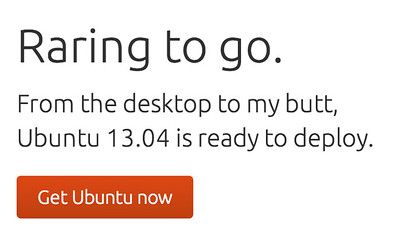
<p>After that, your extensions might make changes to that HTML. If you remember the “Cloud-to-Butt” extension from the mid-twenty-teens, it looked through the HTML, removed any text with the word “cloud”, and replaced it with the word “butt”.</p>

<figure class="half"><img src="/assets/images/ubuntu-cloud-to-butt-cc-by-nc-sa.jpg" alt="Raring to go. From the desktop to my butt, Ubuntu 13.04 is ready to deploy. Get Ubuntu now." /><figcaption>
      <a href="https://www.flickr.com/photos/rangerrick/8712630706" title="Ubuntu 13.04, ready to deploy to my butt.">Ubuntu 13.04, ready to deploy to my butt.</a>” by “<a href="https://www.flickr.com/photos/rangerrick/">Benjamin Reed</a>, <a href="https://creativecommons.org/licenses/by-nc-sa/2.0/deed.en" rel="license noopener noreferrer">CC BY-NC-SA 2.0</a>

    </figcaption></figure>

<p>Some extensions make changes that are more identifiable, by including the extension’s name or other fingerprints in the HTML after they’re done.</p>

<p>LinkedIn looks for these fingerprints in the final HTML, to try to identify extensions that may have affected the HTML it sent you.</p>

<h3 id="using-this-data">Using This Data</h3>

<p>With these three scraping mechanisms, LinkedIn makes a list of which extensions you have (from their list of &gt;6,000).  It sends those results back to LinkedIn Servers.</p>

<p>From there, <strong>we dont know what they do</strong>.</p>

<p>Their <a href="https://browsergate.eu/downloads/Lakam-affidavit-redacted.pdf">affadavit</a> indicates they may use this data as <em>part</em> of their automated services to block users.</p>

<p>The part we at Unshittify find scary is that the data they scrape includes highly sensitive medical, religious, and political affiliation data, which they can trivially associtate with the professional data that logged-in users voluntarily provide to LinkedIn, as is necessary to effectively use the site.</p>

<h2 id="our-thoughts">Our Thoughts</h2>

<p>This looks VERY bad.</p>

<h3 id="privacy-issues">Privacy Issues</h3>

<p>We believe that a company collecting data on their users without consent is a grevious privacy violation.</p>

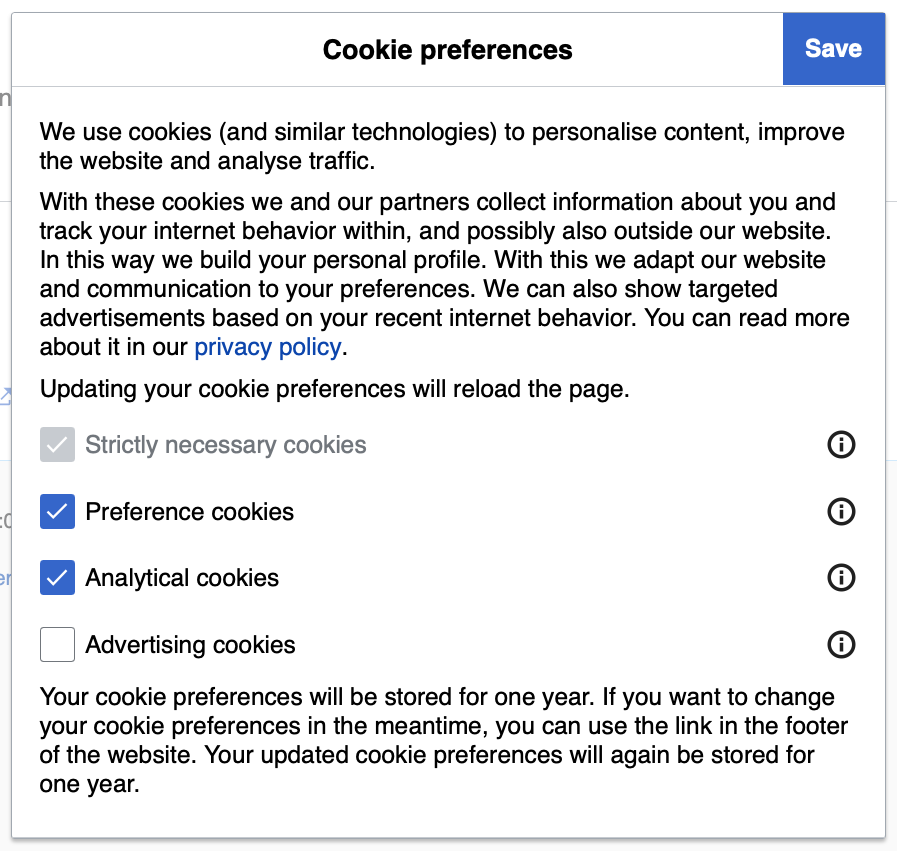
<p>The EU and other jurisdictions have laws like the GDPR - that law is why we have cookie consent banners everywhere.  It’s why we get the option to select our cookie preferences!</p>
<figure class="half"><img src="/assets/images/cookie_consent.png" alt="An example of a cookie preferences page, with &#39;Strictly necessary cookies&#39; forced to be selected, &#39;Preference cookies&#39; and &#39;Analytical cookies&#39; selected, and &#39;Advertising cookies&#39; deselected.  The legal text states: &#39;We use cookies (and similar technologies) to personalize content, improve the website and analyze traffic.  With these cookies we and our partners collect information about you and track your internet behavior within, and possibly also outside our website.  In this way we build your personal profile. With this we adapt our website and communication to your preferences. We can also show targeted advertisements based on your recent internet behavior. You can read more about it in our privacy policy. Updating your cookie preferences will reload the page. Strictly necessary cookies; Preference cookies; Analytical cookies; Advertising cookies; Your cookie preferences will be stored for one year. If you want to change your cookie preferences in the meantime, you can use the link in the footer of the website. Your updated cookie preferences will again be stored for one year.&#39;" /><figcaption>
      It is fantastic that we get to choose what data we share.

    </figcaption></figure>

<p>Now, we at Unshittify are US-based, and unfortunately we don’t live in California, so we don’t get the protective benefits of the GDPR or other privacy laws.  But we’d say that meeting the GDPR’s privacy protection and data collection consent requirements is a decent baseline bare minimum that a company should be meeting.</p>

<p><strong>It appears that LinkedIn is blatantly flouting those requirements.</strong></p>

<p>It is unacceptable that LinkedIn did not give us the opportunity to refuse consent for this data collection, especially given that they are collecting this data in ways that disregard built-in consent checks.</p>

<p>LinkedIn appears to be far overstepping the bounds of the data collection necessary to enforce their terms of service, and has barreled straight into cartoonishly villainous mass surveillance and corporate espionage.</p>

<p>Both the breadth and specificity of the extensions they are searching for is obscene:</p>

<blockquote>
  <p>The scan doesn’t just look for LinkedIn-related tools. It identifies whether you use an Islamic content filter (<a href="https://chromewebstore.google.com/detail/pordaai/oicmkoekhddkecmpplljnilbbkhganph">PordaAI</a> — “Blur Haram objects, real-time AI for Islamic values”), whether you’ve installed an anti-Zionist political tagger (<a href="https://chromewebstore.google.com/detail/anti-zionist-tag/">Anti-Zionist Tag</a>), or a tool designed for neurodivergent users (<a href="https://chromewebstore.google.com/detail/simplify/">simplify</a>). Under GDPR Article 9, processing data that reveals religious beliefs, political opinions, or health conditions requires explicit consent. LinkedIn obtains none.
<cite><a href="https://browsergate.eu/extensions/">BrowserGate</a></cite></p>
</blockquote>

<p>There is no excuse for them to be checking if a user is potentially Muslim, or neurodivergent, or disabled.  There is no reason for them to try to identify anti-zionist or anti-woke users.</p>

<p>And even without those specific searches, the breadth of what they search for would allow LinkedIn to profile their users.  How do we know they aren’t using that to hide jobs, suppress applications, decrease search position?</p>

<p>How do we know they won’t sell that profile, linked to our real name, face, location, and professional information, to the highest bidder?</p>

<p>Will they give it to the government without a warrant?  Will they give it up if the government threatens to break up their monopoly?</p>

<p>Are they using this data to gain an unfair advantage over their (meager) competetors?  To identify their competetors’ customer lists?</p>

<p>Are they identifying what standard security software and extensions different companies use?  Are they willing to sell that data?  To whom?</p>

<p>LinkedIn, by scraping this data, has a tremendous amount of very dangerous data available to them, and the BrowserGate report has made a convincing argument of <a href="https://browsergate.eu/why-its-illegal/">at least 17 laws across at least 8 different jurisdictions</a> that LinkedIn may have broken in collecting it.</p>

<p>No single company should have the power to do this.  No company should feel like they are that far above the law.</p>

<h3 id="what-now">What now?</h3>

<p>We’re individuals.  What can we do?  LinkedIn is, functionally, a monopoply. It’s <em>the</em> place to look for and post jobs.  We don’t have power here, do we?</p>

<p>We have <em>some</em> power.</p>

<p>We recommend the following actions.</p>

<h3 id="do-not-use-linkedin">Do not use LinkedIn.</h3>

<p>If you can help it, use something else.</p>

<p>On the Job Search side, <a href="https://www.ziprecruiter.com/">ZipRecruiter</a>, <a href="https://www.indeed.com/">Indeed</a>, <a href="https://80000hours.org/">80,000 Hours</a>, looking at Google Maps for companies near you and going to their website to look at listings.  Anything to avoid their site.</p>

<p>On the Job <em>Posting</em> side: if you have any authority about this at your workplace, try to get your job listings posted somewhere <em>other</em> than LinkedIn, to help protect your potential applicants.</p>

<h3 id="use-a-non-chromium-browser">Use a Non-Chromium Browser</h3>

<p>LinkedIn’s extension scraping only works on Chrome-based (chromium) browsers.  Using a different browser prevents them from viewing your extensions.</p>

<p>Unfortunately, a <em>lot</em> of web browsers are based on Chromium, including Google Chrome (obviously), Microsoft Edge (surprisingly), Opera, Vivaldi, and Brave, <a href="https://en.wikipedia.org/wiki/Chromium_(web_browser)#Browsers_based_on_Chromium">among others</a>.</p>

<p>Both Safari and Firefox are not Chromium-based, and therefore are safe from LinkedIn’s scraping.  We use and currently recommend <a href="https://www.firefox.com/en-US/">FireFox</a>, because it is open source, available on all major platforms, and has good privacy protections.<sup id="fnref:firefox-ai" role="doc-noteref"><a href="#fn:firefox-ai" class="footnote" rel="footnote">2</a></sup></p>

<h3 id="use-a-clean-browser---or-curated-extensions">Use a clean browser - or curated extensions</h3>

<p>This is the weakest way to protect yourself.</p>

<p>If you must use a Chromium browser, only access LinkedIn from a browser with one of the following setups:</p>

<ul>
  <li>No extensions - to prevent LinkedIn from getting extra data about you.</li>
  <li>A very curated set of extensions - to present a specific persona to LinkedIn (and anyone else who gets their data)</li>
  <li>OR a very confusing set of extensions entirely unrelated to you - to attempt to poison population-level data they’re collecting.</li>
</ul>

<h3 id="call-your-legislators">Call Your Legislators</h3>

<p><a href="https://www.commoncause.org/find-your-representative/">In the US, find out who represents you</a> on a state and federal level.</p>

<p>Then call them.  Or email them.  Or write them a physical, hand-written letter.</p>

<p>Tell them you want them to introduce and/or support data privacy laws like the GDPR, and anti-monopoly laws like Digital Markets Act.  Tell them you want them to be able to effectively go after companies that do shit like this.</p>

<p>Right now, in the US, we can’t do much about this.  <a href="https://browsergate.eu/updates/us-class-action-suit-over-browsergate-filed/">There’s a class-action lawsuit in California</a>, but the rest of us are out of luck.</p>

<p>LinkedIn will not be the last company to try to pull this - heck, they probably aren’t the first.  We need legislation with teeth to be able prosecute privacy violations like this. And we need those prosecutions to make it too costly for businesses to risk doing this sort of thing.</p>

<p>And to do that, we need to call our legislators.</p>

<h2 id="conclusion">Conclusion</h2>

<p>Basically: This sucks green and purple donkey dick.  I wish I had a better way to tie this together.</p>

<p>I found a a few folks who seemed to think <a href="https://www.techradar.com/pro/security/one-of-the-largest-corporate-espionage-and-data-breach-scandals-in-digital-history-new-browsergate-report-claims-linkedin-secretly-scans-user-browsers-for-installed-extensions-and-collects-device-data">the report is overblown</a> - I didn’t find that particularly convincing, but I do think it was worth checking out, for a more balanced understanding of the situation.</p>

<p>In the end though, I still believe that LinkedIn’s data scraping, sans consent and sans notification, is an enormous violation of our right to privacy. At best, this is a sign that we should be breaking up LinkedIn’s monopoly.</p>

<p>I look forward to seeing the California class action lawsuit play out, and to seeing what the EU, UK and Germany have to say about this.</p>

<hr />

<div class="footnotes" role="doc-endnotes">
  <ol>
    <li id="fn:excessive" role="doc-endnote">
      <p>This comes with a caveat: If a website expects to see an extension, then yes it needs to ask it to interact.  But LinkedIn is trying to interact with extensions that have absolutely nothing to do with its services.  That’s an overreach. <a href="#fnref:excessive" class="reversefootnote" role="doc-backlink">&#8617;</a></p>
    </li>
    <li id="fn:firefox-ai" role="doc-endnote">
      <p>Firefox has started building in AI tools that we and many others find annoying, unneccessary, and a concerning sign for the future.  We’re monitoring the situation, but for now, they have, functionally, an AI Feature Kill Switch easily available <a href="https://askubuntu.com/questions/1556081/how-to-disable-all-the-ai-features-in-firefox-to-increase-performance">in the settings</a>.  I have not seen any AI features from Firefox since blocking the AI “Enhancements” <a href="#fnref:firefox-ai" class="reversefootnote" role="doc-backlink">&#8617;</a></p>
    </li>
  </ol>
</div>]]></content><author><name>Tatiana</name></author><category term="Blog" /><category term="Outhouse" /><category term="LinkedIn" /><category term="Social Media" /><category term="Job Search" /><summary type="html"><![CDATA[Here’s the headline: LinkedIn is being accused of mass privacy violations that we at Unshittify are diametrically opposed to. Here’s what we know about BrowserGate.]]></summary></entry><entry><title type="html">The First USB Raid Problems</title><link href="https://unshittify-org.github.io/blog/the-first-usb-raid-problems/" rel="alternate" type="text/html" title="The First USB Raid Problems" /><published>2026-05-12T00:00:00+00:00</published><updated>2026-05-12T00:00:00+00:00</updated><id>https://unshittify-org.github.io/blog/the-first-usb-raid-problems</id><content type="html" xml:base="https://unshittify-org.github.io/blog/the-first-usb-raid-problems/"><![CDATA[<p>A short blog post today, because we have had an odd issue, with a simple solution.</p>

<p>This morning<sup id="fnref:at-time-of-writing" role="doc-noteref"><a href="#fn:at-time-of-writing" class="footnote" rel="footnote">1</a></sup>, Sonarr and Radarr could not access our hard drives.  The hard drives were still there, still running, and still available, but for some reason our Docker containers couldn’t access them.</p>

<p>Luckily, we <em>think</em> this won’t be too hard to fix.</p>

<!--more-->

<h2 id="test-id">The Background</h2>

<p>For anyone new here<sup id="fnref:coming-soon" role="doc-noteref"><a href="#fn:coming-soon" class="footnote" rel="footnote">2</a></sup>, we’re running a NAS<sup id="fnref:nas" role="doc-noteref"><a href="#fn:nas" class="footnote" rel="footnote">3</a></sup> on Overkill - my old, off-brand laptop from 2017.  It has an internal hard drive, but most of our storage is a set of external hard drives, configured for RAID<sup id="fnref:raid" role="doc-noteref"><a href="#fn:raid" class="footnote" rel="footnote">4</a></sup>, connected via two USB HDD bays.</p>

<p>That USB data transfer is the weird part of our system.  Most consumer hard drives connect via SATA - a data transfer standard - but Overkill doesn’t have any available SATA ports to connect to.</p>

<p>Overkill <em>does</em> have plenty of USB ports.  So we bought a pair of USB two-bay hard-drive docks, and are using them.  It does decrease the maximum read-write speed, and most folks online suggest <em>against</em> using RAID over USB for a variety of reasons, but this was a cheap, reasonable option, and Jude has the expertise to mitigate problems.</p>

<p>And problems we have found.</p>

<h2 id="the-symptoms">The Symptoms</h2>

<p>We have a very limited list of symptoms.</p>

<ol>
  <li>This morning, Docker containers running on the internal hard drive (namely, the ones running Radarr and Sonarr) could not access the hard drives in our RAID array.</li>
  <li>From the command line, Jude could verify that the hard drives were still present and reachable.</li>
  <li>All drives in the RAID array passed their <a href="https://en.wikipedia.org/wiki/Self-Monitoring,_Analysis_and_Reporting_Technology">SMART testing</a> (the internal monitoring system on the hard drives), indicating that the drives were undamaged.</li>
</ol>

<h2 id="the-theory">The Theory</h2>

<p>We think that a power fluctuation caused this problem.</p>

<p>Unfortunately, one of the reasons you shouldn’t use RAID over USB is because the USB docks are sensitive to power fluctuations.  Power over USB isn’t enough for the docks to run the hard drives, and that often causes damage to the drives.</p>

<p>We had mitigated this problem by powering these docks with their own power cables, plugged into the power strip that we ran for Overkill.</p>

<p>But we did <em>not</em> include a UPS<sup id="fnref:ups" role="doc-noteref"><a href="#fn:ups" class="footnote" rel="footnote">5</a></sup> between the computer, the hard drives, and the wall.</p>

<p class="notice">Our theory is that last night, our house experienced a brownout, power dip, or other power flicker, which momentarily underpowered the dock, momentarily closing its data connection to Overkill.</p>

<p>Our house is in an area prone to power outages, and we get power dips and power flickers fairly regularly.  Our UPS downstairs was giving some weird beeps yesterday evening.  Even though we didn’t visibly see a brownout happen, we suspect that means there was a power fluctuation.</p>

<p>If Overkill lost connection to the RAID array, then the Docker containers running on Overkill’s local drive would have lost access to them too - and likely didn’t have a way to reconnect to them once they were available.</p>

<h3 id="luckiest-family-in-the-universe">Luckiest Family in the Universe</h3>

<p>If this is accurate, then we were very lucky - a serious power fluctuation on running drives can damage them badly, but ours are fine.</p>

<p>This means one of three things:</p>
<ol>
  <li>The power fluctuation was small enough that it affected the docks’ ability to connect to Overkill, but not the ability to run the hard drives.</li>
  <li>The power fluctuation may have stopped the docks from running the hard drives, but it happened while there were no read or write commands, so the hard drives were not running and were not damaged by the sudden power loss.</li>
  <li>Our theory is wrong.</li>
</ol>

<p>We don’t have another theory, so we’re going to thank our lucky stars, acknowledge that we were <strong>very dumb</strong> for not putting this system on a UPS, and do some work to prevent relying on luck in the future.</p>

<h2 id="the-plan">The Plan</h2>

<p>We have 3 parts to this plan.</p>

<h3 id="short-term---ups">Short Term - UPS</h3>

<p>We’re going to put Overkill and the hard drive docks onto a UPS.  We want them to have a nice, stable power source.  If the power goes out, the UPS will yell, and we can safely shut down Overkill ourselves.</p>

<p>This will hopefully prevent data loss.</p>

<h3 id="medium-term---backup-systems">Medium Term - Backup Systems</h3>

<p>We’re still working on a 3-2-1 backup system.  That means 3 copies of the data, in 2 different formats, with 1 copy offsite.</p>

<p>There’s a reason Overkill’s drive is named <code class="language-plaintext highlighter-rouge">fragile:\</code>.  We don’t have that set up yet.</p>

<p>We’ve purchased some 16 TB hard drives for a full backup system, and we’re working on a cloud solution as well.  We’ll update when we have this finished.</p>

<p>This wil protect us when we <em>do</em> have data loss.</p>

<h3 id="long-term---monitoring">Long-Term - Monitoring</h3>

<p>We already want to add monitoring to Overkill<sup id="fnref:coming-soon2" role="doc-noteref"><a href="#fn:coming-soon2" class="footnote" rel="footnote">6</a></sup>.  We’re expanding that plan to include UPS monitoring.</p>

<p>If the UPS activates, we want Overkill to immediately cancel any read/write commands to the external hard drives.</p>

<p>If the UPS gets below 50%, we want Overkill to safely shut down.</p>

<p>This may require a new UPS.  We’re still looking into it.  We’ll update as we have more info on this.</p>

<p>This would automate our protection.</p>

<h2 id="conclusion">Conclusion</h2>

<p>Like I mentioned, the internet warns against using USB docks for RAID arrays of hard drives.  We’re doing it with the full knowledge that it could all come crashing down.</p>

<p>But we do think we can make it work.</p>

<p>And if adding a UPS doesn’t prevent this issue, we’ll try something else.</p>

<hr />

<div class="footnotes" role="doc-endnotes">
  <ol>
    <li id="fn:at-time-of-writing" role="doc-endnote">
      <p>At time of writing. <a href="#fnref:at-time-of-writing" class="reversefootnote" role="doc-backlink">&#8617;</a></p>
    </li>
    <li id="fn:coming-soon" role="doc-endnote">
      <p>Or for anyone who visited this page <em>before</em> we have the rest of the blog posts up.  Once they’re ready, we’ll link to our series about setting up our NAS.  But this was too interesting to wait on. <a href="#fnref:coming-soon" class="reversefootnote" role="doc-backlink">&#8617;</a></p>
    </li>
    <li id="fn:nas" role="doc-endnote">
      <p><strong>Network-Attached Storage</strong>:  It’s storage you can access from your computer, but is stored in a server or similar.  If you have a Dropbox folder on your computer, it’s that same sort of concept.  If you’ve ever had a school or company server that you need to be connected to their WiFi to access, you’ve definitely interacted with a NAS. <a href="#fnref:nas" class="reversefootnote" role="doc-backlink">&#8617;</a></p>
    </li>
    <li id="fn:raid" role="doc-endnote">
      <p><strong>Redundant Array of Independent Disks</strong>:  Several hard drives working together to act like a single, larger hard drive.  Usually (and in our case) set up so that if any one hard drive fails, the data can still be recovered and rebuilt. <a href="#fnref:raid" class="reversefootnote" role="doc-backlink">&#8617;</a></p>
    </li>
    <li id="fn:ups" role="doc-endnote">
      <p><strong>Uninterruptible Power Supply</strong>: A UPS is ssentially a power strip with a battery and a surge protector. If the power ever goes out, the UPS keeps providing power to the devices plugged into it, and usually starts beeping.  They come in a variety of sizes, from “just enough stored power to let you turn the computer off safely” to “big enough to keep everything charged for a couple days.  <br />
We own two UPSs - one for downstairs and one for upstairs.  They’re each about the size of a car battery.  The one upstairs will keep our router on most of a day, so we can use the internet if it’s still available.  The one downstairs charges our entire family’s phones and tablets. <a href="#fnref:ups" class="reversefootnote" role="doc-backlink">&#8617;</a></p>
    </li>
    <li id="fn:coming-soon2" role="doc-endnote">
      <p>Coming soon.  Will update with links when available. <a href="#fnref:coming-soon2" class="reversefootnote" role="doc-backlink">&#8617;</a></p>
    </li>
  </ol>
</div>]]></content><author><name>Tatiana</name></author><category term="Blog" /><category term="troubleshooting" /><category term="plans" /><category term="raid" /><category term="power" /><summary type="html"><![CDATA[A short blog post today, because we have had an odd issue, with a simple solution. This morning1, Sonarr and Radarr could not access our hard drives. The hard drives were still there, still running, and still available, but for some reason our Docker containers couldn’t access them. Luckily, we think this won’t be too hard to fix. At time of writing. &#8617;]]></summary></entry><entry><title type="html">How NOT to set up Jellyfin</title><link href="https://unshittify-org.github.io/how-to/how-not-to-set-up-jellyfin/" rel="alternate" type="text/html" title="How NOT to set up Jellyfin" /><published>2026-02-09T00:00:00+00:00</published><updated>2026-02-09T00:00:00+00:00</updated><id>https://unshittify-org.github.io/how-to/how-not-to-set-up-jellyfin</id><content type="html" xml:base="https://unshittify-org.github.io/how-to/how-not-to-set-up-jellyfin/"><![CDATA[<blockquote>
  <p>A doddering old fool thinks he knows better than Debian distributors</p>
</blockquote>

<blockquote>
  <p><strong>Jude</strong></p>
</blockquote>

<p>We were really hoping we would get to set up our media server and NAS this week.  That…did not happen.</p>

<p>But every DIY project has the occasional failure.  We may as well share this one, so you don’t try to make the same mistakes as us.</p>

<!--more-->

<h2 id="the-goal">The Goal</h2>

<p>Convert an old laptop to a media server, as a start to replacing our Fire TV Stick.</p>

<h2 id="hardware">Hardware</h2>

<p>The hardware we’re using is an old laptop from Eluktronics, with the following specs:</p>

<ul>
  <li>GPU: NVIDIA GeForce GTX 1060</li>
  <li>CPU: Intel Core i7-7700HQ Quad Core</li>
  <li>RAM: 32 GB DDR4</li>
  <li>Boot Drive: 1 TB M.2 SSD</li>
  <li>Secondary Hard Disk: 1 TB 2.5” SATA III</li>
</ul>

<p>This laptop is from 2017.  Its name is Overkill.</p>

<p>We also have QTY 4 of Western Digital’s 4TB Red NAS 3.5” HDDs.  This is what we want to use as storage for our NAS long-term, but we don’t have a dock or enclosure for them, so for now, we have to make do with the two 1TB hard drives already housed in Overkill.</p>

<h2 id="considerations">Considerations</h2>

<p>We already know we want to use Jellyfin for our media server.</p>

<p>Reddit suggests one of three services/Operating Systems for NAS management for Jellyfin:  UnRAID, TrueNAS, or OpenMediaVault.</p>

<h3 id="not-using-unraid-or-truenas">Not using UnRAID or TrueNAS</h3>
<p>UnRAID requires a one-time payment, which is better than a subscription, but still isn’t something we want to do.</p>

<p>As of February 5, TrueNAS has two software suites, one that’s free and Open Source, and one that’s a paid enterprise subscription. This would be okay, since the primary difference <em>was</em> premium support initially, but it appears that they’re starting to move previously free features and incoming updates behind a paywall. We at Unshittify aren’t a huge fan of segregated features in the first place, and we fear this is a sign of further enshittification to come.  So we’re not going to suggest or try TrueNAS right now.</p>

<h3 id="openmediavault">OpenMediaVault</h3>

<p>That leaves OpenMediaVault.</p>

<p>It has a lot going for it.  It’s an OS based on Debian with the GPLv3 License, so it’s FOSS with Copyleft protections. It comes with the easy configuration we need for the media management systems we want to make and use.</p>

<p>But OpenMediaVault (OMV) is <em>also</em> is very opinionated - if it detects that you’re using a Graphical User Interface (GUI) (as opposed to a command line interface (CLI)), it will refuse to install.  If you somehow manage to install it, but you have a GUI,<sup id="fnref:graphical" role="doc-noteref"><a href="#fn:graphical" class="footnote" rel="footnote">1</a></sup> it will then refuse to run.</p>

<p>This is annoying, but it has understandable reasons behind it.</p>
<ul>
  <li>OMV should really run on a dedicated machine.
    <ul>
      <li>Requiring a CLI prevents users from running it on their general purpose machine, or their daily driver laptop or PC, since most of those are GUIs.</li>
    </ul>
  </li>
  <li>Requiring a CLI is a big red flashing sign saying “If you are not comfortable using the command line, you are not ready to install this OS.  You need to learn more before you try to do this.”
    <ul>
      <li>I know: This sounds kind of elitist.  It sounds like gatekeeping.  I promise, it’s not just an arbitrary blockade.</li>
      <li>Maintaining a system that runs on OMV does require some amount of technical literacy.  So you’ll either need to learn those skills to use OMV, or find another NAS/Media Server option that you already have skills for.</li>
      <li>The CLI requirement doesn’t prevent people who are less experienced from figuring it out and running it. But will make someone who is really out of their depth pause for a second before they dive into the cold, black depths.</li>
      <li>We want people to learn, that’s part of why we’re documenting our work.  And hopefully these posts will help make this marginally more accessible to folks who otherwise wouldn’t have the skills to manage an OMV system.</li>
    </ul>
  </li>
</ul>

<p>As for us, we’re lucky.  We have a dedicated machine, and Jude has extensive experience with Debian. Tatiana has significantly less experience with CLIs, but is capable.<sup id="fnref:averageuser" role="doc-noteref"><a href="#fn:averageuser" class="footnote" rel="footnote">2</a></sup>  But we had other circumstances that made OMV less attractive at the start of this process.</p>

<h4 id="omv-problems">OMV Problems</h4>

<p>We didn’t have all of our equipment ready - specifically, the fact that we were missing the Hard Drive bays for our WD Reds.  If we tried to set up OMV as Overkill’s OS, it would only see the internal SSD (which is being used as a boot drive) and the internal HDD (which we are tentatively using as fragile storage).</p>

<p>But without the external hard drives, we don’t have enough drives to set up in a RAID array.  And that means we’d be setting up OMV without RAID.  That’s less than ideal, and we were worried that it would be tough to reconfigure it with RAID drives later.</p>

<p>We also kind of wanted a GUI.  Tatiana is more comfortable with a GUI, and we suspect some of the readers would be more comfortable with a GUI.</p>

<p>And more importantly, having a GUI would allow us to do <em>all</em> the setup on Overkill.  Yes, OMV is designed to install on a system that uses a CLI, not a GUI.  But the services that OMV packages together have some configuration that is performed via webapp.  So as designed, once we install and do initial setup on Overkill, we’d have to switch to another device, log into the web interface, and finish the configuration there.  That’s annoying.</p>

<p>So instead of installing OMV, we decided to. . . install OMV.  Kind of.</p>

<p>Most of what OMV does is install a list of packages.  For the most part<sup id="fnref:foreshadowing" role="doc-noteref"><a href="#fn:foreshadowing" class="footnote" rel="footnote">3</a></sup>, you can do that.  It’s more tedious, but it gives you more control.  And then we can use the webapps on Overkill.</p>

<p>So that’s what we did.  And my god it was tedious.</p>

<h2 id="software">Software</h2>

<p>We installed the newest stable version of Debian<sup id="fnref:setup" role="doc-noteref"><a href="#fn:setup" class="footnote" rel="footnote">4</a></sup> (which has a GUI), then started setting up the tools that OMV would normally install.</p>

<p>This was a somewhat recursive process - identify a package we need, try to install.  If it needs dependencies, try to install those.  Repeat until it works, then move on to the next package.</p>

<p>The main ones we knew we needed had decent install instructions, and were:</p>
<ul>
  <li><a href="https://ruan.dev/blog/2022/06/29/create-a-raid5-array-with-mdadm-on-linux">mdadm</a> for RAID<sup id="fnref:raid" role="doc-noteref"><a href="#fn:raid" class="footnote" rel="footnote">5</a></sup> management</li>
  <li><a href="https://www.siberoloji.com/how-to-set-up-network-attached-storage-nas-in-debian-12-bookworm-system/">SaMBa and NFS</a><sup id="fnref:samba" role="doc-noteref"><a href="#fn:samba" class="footnote" rel="footnote">6</a></sup> for NAS<sup id="fnref:nas" role="doc-noteref"><a href="#fn:nas" class="footnote" rel="footnote">7</a></sup> setup</li>
  <li><a href="https://linuxcapable.com/how-to-install-jellyfin-on-debian-linux/">Jellyfin</a>, for media management</li>
</ul>

<h3 id="the-nas-testing-plan">The NAS Testing Plan</h3>

<p>The plan was simple.  We were going to use our Mac upstairs to rip episodes of the <em>Angelic Layer</em> anime from our DVDs, then upload it to the media drive on Overkill that we configured with SaMBa and NFS.<sup id="fnref:samba:1" role="doc-noteref"><a href="#fn:samba" class="footnote" rel="footnote">6</a></sup></p>

<p>That didn’t happen how we expected.</p>

<h3 id="the-first-hurdle---no-upload">The First Hurdle - No Upload</h3>

<p>First, Jellyfin doesn’t have an upload function.  What?</p>

<p>Frustrating, but possible to overcome and troubleshoot later.  For now, I’m sure we can just manually copy the files onto Overkill, right?</p>

<h3 id="the-second-hurdle---no-nas">The Second Hurdle - No NAS</h3>

<p>Apparently, we didn’t set up SaMBa right.</p>

<p>Theoretically speaking, SaMBa should’ve turned Overkill into a NAS, and should’ve made it so that the other computers in our house could access Overkill’s storage.</p>

<p>We wanted to mount Overkill’s drives as a virtual drive on our Mac (which was on the same wifi network).  Then, on that second computer, we would just drag-and-drop copy our files over to Overkill’s storage.</p>

<p>Except, for some reason, the Mac couldn’t see Overkill’s drives.  We tried to connect to Overkill, but it requested a login that we weren’t expecting, blocking our attempt to mount the drive.</p>

<p>Admittedly, this was probably entirely our fault - we think we didn’t configure SaMBa correctly.</p>

<p>We have <em>not</em> gathered the energy to try to fix this yet.</p>

<h3 id="the-third-hurdle---torrenting-stack-complications">The Third Hurdle - Torrenting Stack Complications</h3>

<p>So let’s back up. Adding new media should still be possible.  Overkill just has to handle getting it.</p>

<p>We <em>could</em> manually rip disks, or we could use rips that someone else have made.<sup id="fnref:ripvspirate" role="doc-noteref"><a href="#fn:ripvspirate" class="footnote" rel="footnote">8</a></sup>.</p>

<p>How hard can it be to make that happen?</p>

<p>Well, over the course of 3 hours, Jude was able to:</p>
<ul>
  <li>Install qBittorrent to manage the torrent protocol for downloads
    <ul>
      <li>Easy!  Success!</li>
    </ul>
  </li>
  <li>Get Sonarr installed, to search for torrents of tv series
    <ul>
      <li>Hard.  Boo.</li>
      <li>This package was broken, and we had to install it from a <em>script</em></li>
    </ul>
  </li>
  <li>Spend 90 minutes fighting to install <a href="https://nzbget.net/">nzbget</a>, to try to search through torrents on UseNet.
    <ul>
      <li>Awful.  Boooooo.  Ultimately unneccessary.</li>
      <li>nzbget is <em>not</em> a good Debian citizen.  Installing it was awful.</li>
      <li>Good news! UseNet still exists!</li>
      <li>Bad news! UseNet costs $100/year to use!</li>
      <li>It’s installed, but we ain’t dealing with this.</li>
    </ul>
  </li>
  <li>Install Prowlarr, to search through torrents
    <ul>
      <li>Very difficult.  Still a success.  Meh.  Boo.</li>
      <li>This did not have a script to download it, but theoretically it shouldn’t be too hard to install it <em>manually</em>.</li>
      <li>It was incredibly hard to install it manually.  Installation, setting up a configuration, building an init script - it all took time and effort.</li>
      <li>It eventually worked.</li>
    </ul>
  </li>
</ul>

<p>With this stack - Sonarr, Prowlarr, and qBittorrent - we were successfully able to find <em>Angelic Layer</em>!</p>

<p>But before we download it, we want get this set up in a way that will be easy for our users to request media.</p>

<h3 id="the-stumbling-block---jellyseerr">The Stumbling Block - Jellyseerr</h3>

<p><a href="https://docs.seerr.dev/">Jellyseerr</a> is a service that allows Jellyfin users to request media to be added to the Jellyfin server.  The user can go to the webapp to search and request a show that they don’t want to bother ripping, then those services we picked above to manage torrents will find it, download it, and organize it into our Jellyfin server.</p>

<p>We picked qBittorrent, Sonarr, and Prowlarr because they integrate seamlessly with Jellyseerr.</p>

<p>Perfect.</p>

<p>Except, Jellyseerr is experimental. <strong>There isn’t a <em>good</em> way to install it on Debian</strong>.</p>

<p>Jellyseerr doesn’t have a Debian installer.  It doesn’t have a community-made installation script.</p>

<p>There are exactly two ways to install Jellyseer (on Debian).  And we don’t like either.</p>

<h4 id="1-a-docker-container">1. A Docker Container</h4>

<p>Neither Jude nor Tatiana are particularly familiar with Docker.  We don’t want to deal with that.</p>

<p>Besides, if we were going to install Jellyseer with Docker, we should’ve just installed the entire stack with Docker.<sup id="fnref:sunkcost" role="doc-noteref"><a href="#fn:sunkcost" class="footnote" rel="footnote">9</a></sup></p>

<h4 id="2-build-it-from-source">2. Build it from source</h4>

<p>Building Jellyseerr from source requires Node 22.  Debian only supports up to Node 20.</p>

<p>We could still make it work - we could make our own build environment.  But we’d want redundancy.  And we’d want revision control.</p>

<p>We’d want all sorts of customization to our build and dev environment that would make this system robust, safe, and unique to our needs - all things that Jude has the knowledge to do because of his decades of work. But it would also make it difficult to explain, difficult to share, difficult to get help with, and difficult to keep up-to-date.</p>

<p>We wouldn’t even be able to get support from the Jellyseer community.</p>

<p>Building Jellyseer from source and maintaining it afterwards would be a project in and of itself.  One that would take away from the rest of the media server project - which for us includes the documentation we make for this website (which, again, building from source would make significantly more complicated).</p>

<h2 id="no">No.</h2>

<p>No.  We’re not doing this.  It’s been 2 weeks since we started working on Overkill - admittedly in between family emergencies, but still. We’ve been running face first into wall after wall after wall, and after every broken nose, we’re making it harder for other people to help us the next time. We’re hitting the Sunk Cost Fallacy, and we’re not falling for it.</p>

<p>We <em>could</em> build Jellyfin from source to hit a Minimum Viable Product.  It’s possible.</p>

<p>But there is no good way for us to teach that process here.  Jude has seen first-hand that it takes about 3 months of consistent teaching for a student to become proficient in a build/development environment. We cannot expect to put out a “How to build Jellyseerr from Source” article that will let someone else naiively follow along, and expect to have a successful build at the end.</p>

<p>We can’t do y’all justice by doing something too hard for anyone else to duplicate.  And we can’t do ourselves justice by making a system that is more hassle to maintain than benefit to use.</p>

<h2 id="the-plan">The Plan</h2>

<p>We’re starting over.</p>

<p>We’re going to reimage Overkill, and install OpenMediaVault<sup id="fnref:OMV-AI" role="doc-noteref"><a href="#fn:OMV-AI" class="footnote" rel="footnote">10</a></sup>. We’ll deal with using our Macs and other laptops for the Web UI configuration.</p>

<p>We’re gonna use the Docker Compose All-in-One to install Jellyfin, and it will include <em>everything</em> we spent 2 weeks setting up the first time around.  We’ll have to learn more about Docker, but between Jude and Tatiana we have enough to get started, and Docker is already <em>extremely</em> well-documented, with lots of resources to help us learn.</p>

<p>We will use the systems that everyone has been saying we should use.  We’ll follow the guides that already exist.</p>

<p>And we’ll be able to document what we’ve done, what went wrong, and what went well.</p>

<p>There are tools available to help us climb over the walls and sweep away the stumbling blocks.  We’re dang well going to use them this time.</p>

<hr />

<div class="footnotes" role="doc-endnotes">
  <ol>
    <li id="fn:graphical" role="doc-endnote">
      <p>A graphical Interface has a screen with icons that you click on.  You usually interact with it primarily with a mouse.  Windows and Mac use graphical interfaces.  This is the type of interface the average person uses on their regular computer. <br /><br />
The alternative is a <a href="https://en.wikipedia.org/wiki/Command-line_interface">Command Line Interface (CLI)</a>. You type instructions for the computer to do.  You may have light experience with this in the form of text adventure games like Zork.  If not, just imagine the cool hacker guy in a spy movie typing fast with the text projecting on his face.  That’s a CLI. <a href="#fnref:graphical" class="reversefootnote" role="doc-backlink">&#8617;</a></p>
    </li>
    <li id="fn:averageuser" role="doc-endnote">
      <p>As always, Tatiana will be your “straight man” for this story, despite the fact that I am neither of those. Any questions I had during this process, I assume the readers will have, too. <a href="#fnref:averageuser" class="reversefootnote" role="doc-backlink">&#8617;</a></p>
    </li>
    <li id="fn:foreshadowing" role="doc-endnote">
      <p>You’re not going to get exactly the same thing, and you’ll probably have to do some compiling on your own, but you <em>should</em> be able to get a fully working NAS at the end of the work. <br />
This footnote has absolutely no foreshadowing in it. <a href="#fnref:foreshadowing" class="reversefootnote" role="doc-backlink">&#8617;</a></p>
    </li>
    <li id="fn:setup" role="doc-endnote">
      <p>For the techy folks: Debian 13 on a USB boot disk.  We used LVM, installing only 80% of the SSD, and saving the other 20% for future expansion and swap usage.  We used server partitioning (<code class="language-plaintext highlighter-rouge">/srv</code> instead of <code class="language-plaintext highlighter-rouge">/home</code>, with a small swap).  And we chose to use XFCE over Gnome, added an SSH server, and declined any Debian blend. <a href="#fnref:setup" class="reversefootnote" role="doc-backlink">&#8617;</a></p>
    </li>
    <li id="fn:raid" role="doc-endnote">
      <p>For those who don’t know, RAID is a way to put data on multiple hard drives, so some of the hard drives can fail without losing any of the data. That being said, <a href="https://www.raidisnotabackup.com/">RAID is not a backup</a> <a href="#fnref:raid" class="reversefootnote" role="doc-backlink">&#8617;</a></p>
    </li>
    <li id="fn:samba" role="doc-endnote">
      <p>SaMBa is a service that runs on server hardware, that allows the server to share its drives over the network.  A user will install a virtual drive, and can then access the server’s drive over the network - like adding a Dropbox folder to your computer (though, Dropbox has additional features not included in SaMBa). SaMBa should theoretically let the NAS running it act like the Dropbox servers - giving users remote access to them. <a href="#fnref:samba" class="reversefootnote" role="doc-backlink">&#8617;</a> <a href="#fnref:samba:1" class="reversefootnote" role="doc-backlink">&#8617;<sup>2</sup></a></p>
    </li>
    <li id="fn:nas" role="doc-endnote">
      <p>Network Accessible Storage. <a href="#fnref:nas" class="reversefootnote" role="doc-backlink">&#8617;</a></p>
    </li>
    <li id="fn:ripvspirate" role="doc-endnote">
      <p>I am not a lawyer.  Even if I was a lawyer, I am not <em>your</em> lawyer.  By our understanding, you have a right to create and keep copies of the media you own, for your own personal use.  Downloading a digital copy of that media, for your personal use, is theoretically equivalent to that, but the case law is less settled.  Distribution of that media is pretty firmly disallowed by copyright law.  Be aware of your local laws. <a href="#fnref:ripvspirate" class="reversefootnote" role="doc-backlink">&#8617;</a></p>
    </li>
    <li id="fn:sunkcost" role="doc-endnote">
      <p>Do I hear the <a href="https://youtu.be/n4wDmjEn8Vo?si=JZ0Xwubf3cIi1xhq&amp;t=1675">Sunk Cost Fallacy</a> anyone? <a href="#fnref:sunkcost" class="reversefootnote" role="doc-backlink">&#8617;</a></p>
    </li>
    <li id="fn:OMV-AI" role="doc-endnote">
      <p><strong>This disclosure is included on February 9, 2026 per our <a href="about/../../_about/ethics-statement.md#ai-usage-policy">AI Usage Policy</a></strong>: The background image of the OpenMediaVault’s main login screen is an AI-generated image, generated by the lead dev of the project.  There is a toggle in the settings hide the image. <br />
This image is the only use of generative AI in OpenMediaVault as far as we can tell, and generative AI is not used in the underlying functional software. We still believe that OpenMediaVault is the best option for us, so we will be changing our login background to remove the AI generated image, <strong>because we do not approve of the use of generative AI to replace human art</strong>. <br />
If OpenMediaVault is updated to remove the AI generated images, we will remove this disclosure.  If we find that OpenMediaVault uses generative AI in other ways that do not comply with our AI Usage Policy, we will likely switch software. <a href="#fnref:OMV-AI" class="reversefootnote" role="doc-backlink">&#8617;</a></p>
    </li>
  </ol>
</div>]]></content><author><name>Tatiana</name></author><category term="How-To" /><category term="Failures" /><category term="Experiments" /><category term="Jellyfin" /><category term="OpenMediaVault" /><summary type="html"><![CDATA[A doddering old fool thinks he knows better than Debian distributors Jude We were really hoping we would get to set up our media server and NAS this week. That…did not happen. But every DIY project has the occasional failure. We may as well share this one, so you don’t try to make the same mistakes as us.]]></summary></entry></feed>